

Introduction
Creating a presentation often feels harder than it should. Many people struggle not with design, but with deciding what to put on each slide and how to organize ideas logically. This is where a Presentation Outline Maker becomes an essential tool.
A Presentation Outline Tool helps users turn a topic or idea into a clear, structured slide. Instead of starting from a blank slide, users get a ready-made structure that saves time, improves clarity, and ensures the presentation flows smoothly.
In this blog, we’ll explore what a presentation outline maker Tool is, how it works, why it matters, and how it helps students, professionals, and businesses build clear slide outlines effortlessly.
What Is a Presentation Outline Maker?
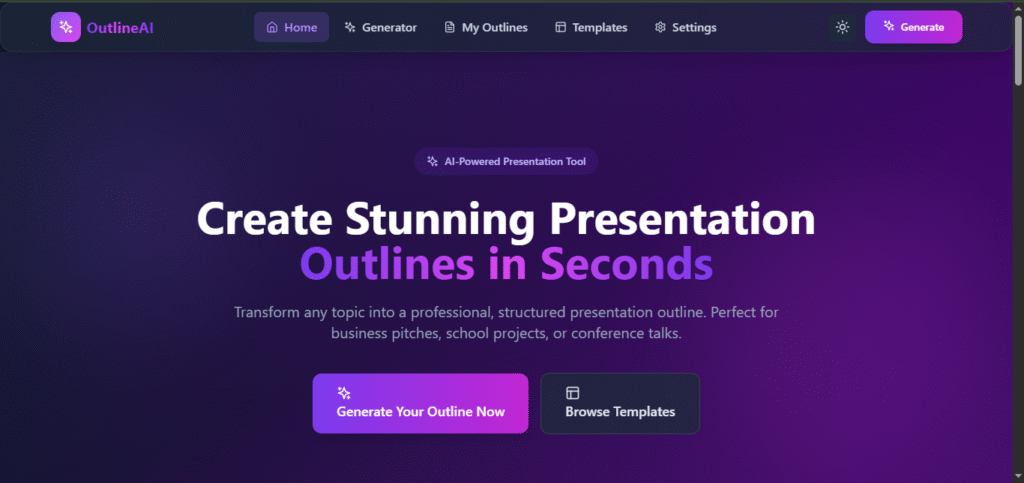
A Presentation Outline is a digital tool that generates a slide-by-slide structure for presentations. It focuses on content organization rather than slide design.
Using a Presentation Outline , users can:
- Plan presentation flow
- Generate slide titles
- Add key bullet points
- Maintain logical structure
This tool works for PowerPoint, Google Slides, Keynote, and any presentation format.
Why Clear Slide Outlines Matter
1. Better Understanding
Well-structured outlines help audiences understand ideas easily.
2. Saves Time
No need to think from scratch for every slide.
3. Improves Confidence
Presenters know exactly what to say on each slide.
4. Professional Results
Structured presentations look more polished and credible.
Common Problems Without an Presentation Outline Maker
- Too much text on slides
- Poor flow between ideas
- Missing key points
- Confusing presentation structure
A presentation outline solves all these problems at once.
How a Presentation Outline Maker Tool Works
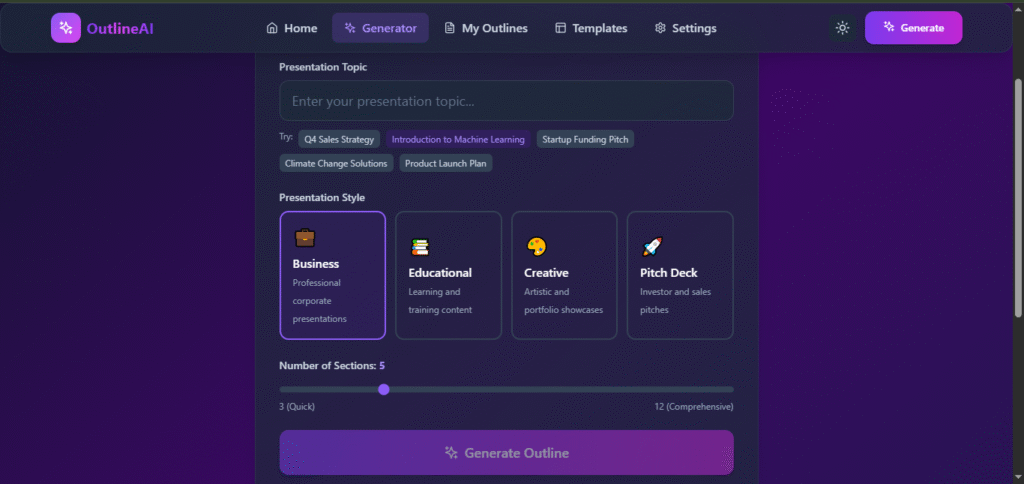
Step 1: Topic & Goal Input
Users enter:
- Presentation topic
- Purpose (inform, explain, sell, teach)
The tool identifies the core subject and desired outcome.
Step 2: Choose a Proven Structure
Based on the goal, the tool applies standard frameworks such as:
- Introduction → Body → Conclusion
- Problem → Solution → Benefits
- Agenda → Details → Summary
These structures are widely used in education and business presentations.
Step 3: Generate Slide Titles
The tool creates clear slide headings, such as:
- Introduction to the Topic
- Background or Context
- Key Challenges
- Proposed Solution
- Benefits
- Conclusion
Step 4: Add Bullet Points
Each slide includes:
- 3–5 concise bullet points
- Clear talking points
- Balanced information density
Step 5: Display the Complete Outline
Users receive a clean outline they can:
- Copy
- Edit
- Use directly in PowerPoint or Google Slides
Key Features of a Presentation Outline Maker Tool
Simple Input Fields
Only essential details are required.
Structured Output
Every slide has a clear purpose.
Flexible Use
Works for short and long presentations.
Beginner-Friendly
No presentation experience needed.
Instant Results
Outline generated in seconds.
Who Should Use a Presentation Outline Maker?
Students
- Assignments
- Seminars
- Project presentations
Teachers & Trainers
- Lesson plans
- Workshops
- Classroom presentations
Business Professionals
- Reports
- Client presentations
- Strategy decks
Startup Founders
- Pitch decks
- Product explanations
Presentation Outline Maker for Students
Students often struggle with organizing content. A presentation outline:
- Helps structure academic topics
- Improves clarity
- Reduces preparation time
This makes it ideal for school and college use.
Presentation Outline Maker for Business Use
In professional settings, clarity is critical. This tool helps:
- Present ideas clearly
- Maintain professional structure
- Save preparation time
Presentation Outline Maker vs Manual Planning
| Feature | Outline Maker | Manual Planning |
|---|---|---|
| Speed | Very fast | Time-consuming |
| Structure | Consistent | Often inconsistent |
| Ease | Beginner-friendly | Requires experience |
| Quality | Professional | Varies |
Best Practices When Using a Presentation Outline Maker
- Keep slides focused on one idea
- Avoid overcrowding bullet points
- Use the outline as a guide, not a script
- Customize content for your audience
Popular Use Cases
- Academic presentations
- Business reports
- Startup pitches
- Training sessions
- Conference talks
SEO Benefits of a Presentation Outline Maker Tool
For tool websites, a Presentation Outline:
- Targets high-intent keywords
- Keeps users engaged
- Reduces bounce rate
- Encourages repeat visits
Future of Presentation Outline Maker Planning Tools
Modern presentation tools are evolving with:
- AI-based topic understanding
- Automatic slide content suggestions
- Integration with PPT generators
The presentation outline is becoming a core productivity tool.
Limitations to Keep in Mind
- Outline may need personalization
- Visual design is not included
- Advanced topics may require edits
However, it provides an excellent starting point.
Final Thoughts
This App was created using PromptXL, an AI-assisted content creation system designed to produce clear, structured, SEO-friendly, and user-focused information. PromptXL helps organize ideas, improve readability, and ensure content remains practical and valuable for real users.
A Presentation Outline Tool – Build Clear Slide Outlines is one of the most effective ways to simplify presentation creation. By focusing on structure and clarity, it helps users create presentations that are easy to understand and impactful.
Whether you’re a student, professional, or entrepreneur, a presentation outline saves time, improves quality, and removes the stress of starting from scratch.
🚀 Build Without Platform Limits
Create your project: https://app.promptxl.com
Learn more: https://promptxl.com