

Online JSON Converter – click App link
Introduction
In today’s digital world, managing and transforming data efficiently is essential for developers, businesses, and students alike. An online JSON converter makes this process simple by allowing users to quickly convert, format, validate, and transform JSON data directly in the browser—without installing any software.
JSON (JavaScript Object Notation) is one of the most popular data formats used in modern web applications, APIs, and software systems. It is lightweight, human-readable, and easy to parse. However, working with raw JSON can become difficult when the data is large, unformatted, or needs to be converted into other formats.
That’s where an JSON converter becomes a powerful solution. It helps developers, testers, data analysts, and beginners convert JSON into formats like XML, CSV, or YAML, beautify unreadable JSON, validate structure, and minify data for performance—all in just a few clicks.
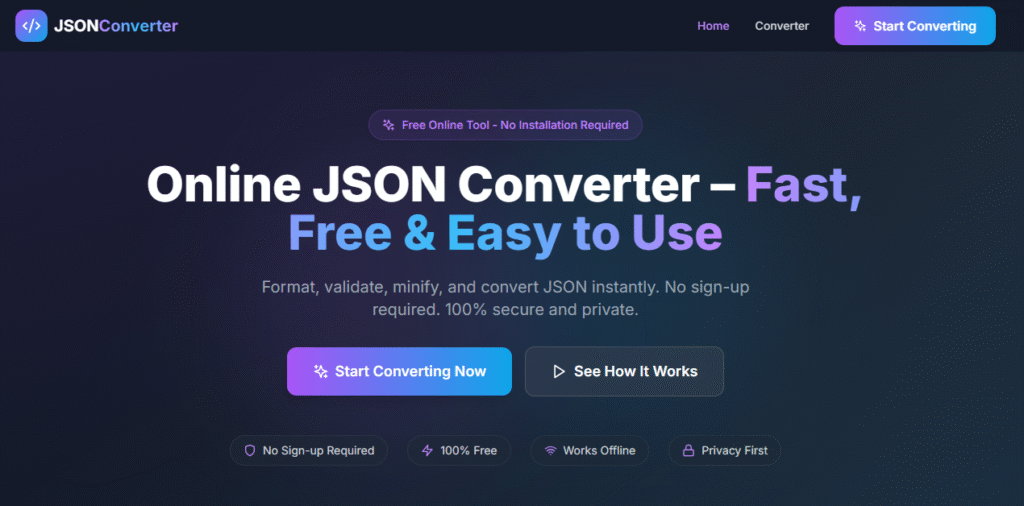
An make Promptxl Online JSON Converter – Fast, Free & Easy to Use saves time, reduces errors, and improves productivity. Whether you are debugging API responses, preparing data for analysis, or learning how JSON works, this tool provides a reliable and user-friendly way to handle JSON data efficiently.
What Is JSON and Why It Matters for an Online JSON Converter
What Is JSON (JavaScript Object Notation)?
JSON is a text-based data interchange format that is easy for humans to read and write and easy for machines to parse and generate. It represents data using key–value pairs and arrays.
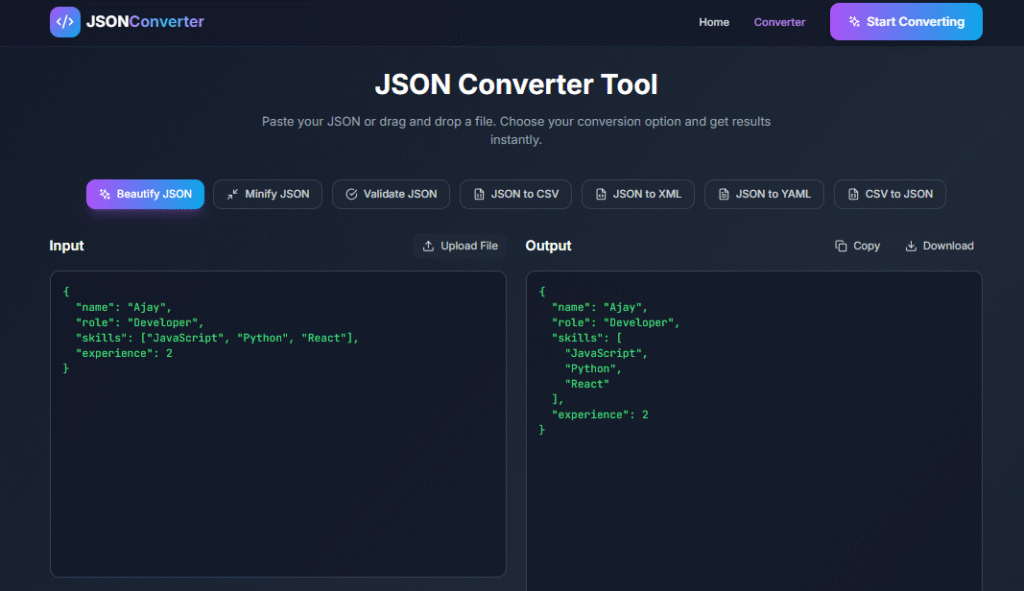
Example JSON data:
{
  "name": "Ajay",
  "role": "Developer",
  "skills": ["JavaScript", "Python", "React"],
  "experience": 2
}
Why JSON Is Widely Used in Modern Applications
JSON has become the standard format for data exchange because it is:
- Lightweight compared to XML
- Easy to read and understand
- Language-independent
- Supported by almost all programming languages
- Ideal for APIs and web services
Because of these advantages, JSON is used everywhere—from REST APIs and mobile apps to databases and configuration files. An JSON converter helps manage this data efficiently.
What Is an Online JSON Converter?
An JSON converter is a web-based tool that allows users to work with JSON data directly in their browser. It enables fast and accurate transformation of JSON into multiple formats without installing any software.
How an JSON Converter Tool Works
An JSON converter processes your data instantly by:
- Reading JSON input
- Validating its structure
- Converting it into the selected output format
Why an JSON Converter Is Important
Working with JSON manually can lead to errors. An JSON converter automates formatting, validation, and conversion, making data handling easier and safer.
Why Use an JSON Converter Tool?
Save Time with a Fast
Manual conversion is slow and error-prone. An JSON converter completes conversions in seconds.
No Installation Required – Use JSON Converter Anywhere
You don’t need to install software. Just open your browser and use the JSON converter instantly.
Beginner-Friendly
Even beginners can easily understand and work with JSON using an intuitive JSON converter.
Reduce Errors Using an Online JSON Validator
Built-in validation helps catch syntax errors immediately.
Free and Accessible
Most JSON converter tools are completely free and accessible on any device.
Key Features of an Online JSON Converter
JSON to XML Conversion Using an JSON Converter
Convert JSON data into XML for legacy systems and XML-based APIs.
JSON to CSV Converter Online for Data Analysis
Easily convert JSON to CSV for Excel, Google Sheets, and analytics tools.
JSON to YAML Converter Online for DevOps
Ideal for configuration files, Kubernetes, and CI/CD pipelines.
JSON Formatter and Beautifier Online
Make messy JSON readable with proper indentation and formatting.
JSON Minifier for Performance Optimization
Reduce file size by removing unnecessary spaces and line breaks.
Validate JSON Data with an JSON Converter
Check whether JSON is valid and error-free.
JSON Tree View and Visualizer Tool
View JSON data in a structured tree format.
Copy and Download Options in JSON Converter
Copy output instantly or download it as a file.
How Does an Online JSON Converter Work?
Steps to Convert JSON Using an JSON Converter
- Paste JSON data into the input box
- Select the desired conversion format
- Click the convert button
- View or download the output instantly
Client-Side Processing in JSON Converter Tools
Most online JSON converters process data locally in the browser, ensuring privacy and speed.
Use Cases of an Online JSON Converter Tool
Web Developers
Used for building APIs and debugging responses.
Backend Engineers
Helps with databases, logs, and microservices.
Data Analysts
JSON to CSV conversion simplifies data analysis.
QA Testers
Used to validate and verify API responses.
Students and Beginners
Helps learners understand JSON structures easily.
Benefits of Using a Fast Online JSON Converter
Speed and Performance of an JSON Converter
Accuracy and Error Reduction
Accessibility Across Devices
Productivity Boost Using JSON Converter
Security and Privacy in an JSON Converter
Data Safety in JSON Converter Tools
A good JSON converter should never store your data.
Privacy Best Practices for Online JSON Conversion
Always choose tools that use HTTPS and client-side processing.
JSON Formatting vs JSON Minifying in an Online JSON Converter
Formatting for Readability
- Best for development and debugging
JSON for Production Performance
- Best for faster loading and reduced file size
Best Practices When Working with an Online JSON Converter
Validate JSON Before Conversion
Use JSON Formatter During Development
Minify JSON for Production Use
Maintain Consistent Key Naming
JSON Converter vs Desktop JSON Tools
Benefits of JSON Converter Tools
- No installation
- Instant access
- Free and fast
When to Use Desktop JSON Tools
- Offline usage
- Advanced enterprise features
Why Choose Our Online JSON Converter?
Fast and Free JSON Converter
Easy-to-Use JSON Converter Interface
Secure and Reliable JSON Converter
Our tool is built for speed, simplicity, and security.
SEO Importance of an Online JSON Converter Tool
Why JSON Converter Pages Rank Well
Popular Keywords for Online JSON Converter Tools
Examples:
- JSON converter
- JSON formatter
- JSON validator
- JSON to CSV converter
Frequently Asked Questions About Online JSON Converter
Is This JSON Converter Free to Use?
Yes, it is completely free.
Is My Data Safe in an JSON Converter?
Yes, your data is not stored.
Can I Convert Large Files Using an JSON Converter?
Yes, depending on browser limits.
Do I Need to Sign Up to Use an JSON Converter?
No signup is required.
Conclusion – Why an Online JSON Converter Is Essential
JSON is a critical data format in modern development, but working with it manually can be time-consuming and error-prone. An Online JSON Converter – Fast, Free & Easy to Use simplifies everything—from conversion and formatting to validation and visualization.
Whether you’re a developer, student, or data analyst, an JSON converter is an essential tool that improves efficiency, accuracy, and productivity.
🚀 Build Your Own AI PDF Summarizer
Create your project: https://app.promptxl.com
Learn more: https://promptxl.com
Build real AI tools with full control, real files, and multi-LLM intelligence.
If you want to explore more free AI tools, check out the PromptXL Marketplace:
https://app-market.promptxl.com/
Build real AI tools with full control, real files, and multi-LLM intelligence.