

Introduction:
Building a business starts with clarity. Entrepreneurs often have great ideas, but without a structured way to define problems, customers, and solutions, those ideas struggle to become successful products. This is where a Lean Canvas Generator plays a crucial role.
A canvas generator allows founders, startups, and teams to create business models online using a proven one-page framework. Instead of lengthy business plans that take weeks to prepare, the lean canvas focuses on speed, simplicity, and validation. It is designed for modern entrepreneurs who want to test ideas quickly and adapt based on feedback.
In this guide, you’ll learn what a canvas generator is, how it works, why it matters, and how to use it effectively to build strong business models online.
Click The App Link : Free Lean Canvas Generator
What Is a Lean Canvas Generator?
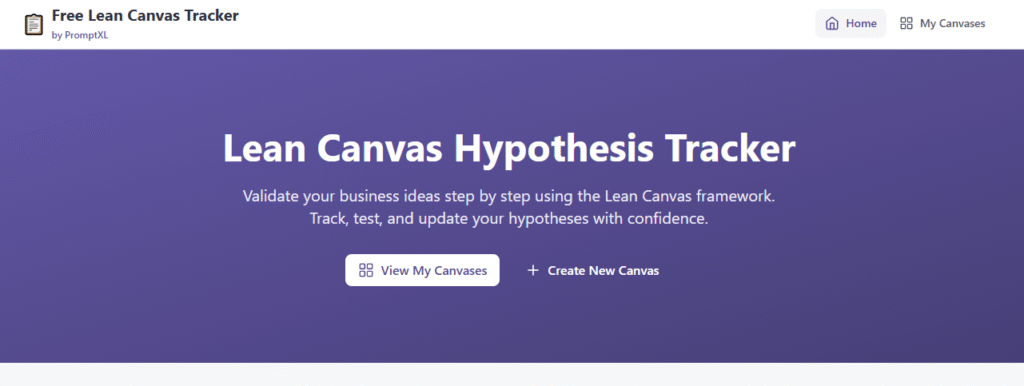
A Lean Canvas Generator is an online tool that helps users create a Canvas—a one-page business model template—digitally. It breaks down a business idea into nine critical sections, making it easier to understand, share, and refine.
Unlike traditional business plans, a lean canvas focuses on:
- Problems worth solving
- Target customers
- Unique value proposition
- Revenue and cost structure
The generator simplifies this process by guiding users step by step, ensuring nothing important is missed.
What Is the Lean Canvas Model?
The Lean Canvas model is an adaptation of the Business Model Canvas, optimized for startups and early-stage ideas. It emphasizes uncertainty, experimentation, and rapid iteration.
The nine core blocks include:
- Problem
- Customer Segments
- Unique Value Proposition
- Solution
- Channels
- Revenue Streams
- Cost Structure
- Key Metrics
- Unfair Advantage
A canvas generator helps you fill these sections logically and efficiently.
Why Use an Online Lean Canvas Generator?
Creating a lean canvas on paper or spreadsheets can be limiting. An online lean canvas generator offers several advantages:
Faster Execution
You can create and update business models in minutes instead of days.
Easy Collaboration
Team members can contribute ideas in real time.
Organized Thinking
The structured layout forces clarity and prioritization.
Reusable Templates
Create multiple canvases for different ideas or experiments.
Cloud Access
Access your business model anytime, anywhere.
Who Should Use a Lean Canvas Generator?
A lean canvas generator is ideal for:
- Startup founders
- Entrepreneurs
- Product managers
- Marketing teams
- Business consultants
- Students and educators
- Innovation teams in companies
Anyone validating or refining a business idea can benefit from this tool.
How a Lean Canvas Generator Works
Using a lean canvas generator typically follows a simple workflow:
- Enter Your Idea – Give your project or startup a name
- Define the Problem – List the top problems your customers face
- Identify Customers – Specify who experiences these problems
- Describe Your Solution – Outline how you solve the problem
- Craft the Value Proposition – Explain why you’re different
- Select Channels – Decide how customers will find you
- Add Revenue Streams – Define how you’ll make money
- Estimate Costs – Identify major expenses
- Track Key Metrics – Decide what success looks like
The generator ensures each step is concise and focused.
Benefits of Using a Lean Canvas Generator
1. One-Page Simplicity
Everything about your business is visible at a glance.
2. Better Decision-Making
Clear assumptions help founders make informed choices.
3. Rapid Validation
Quickly test ideas before investing time and money.
4. Investor-Friendly
Lean canvases are easy to explain to investors and mentors.
5. Encourages Iteration
You can update your canvas as you learn from customers.
Lean Canvas Generator vs Traditional Business Plan
| Feature | Lean Canvas Generator | Traditional Business Plan |
|---|---|---|
| Length | One page | 20–50 pages |
| Speed | Minutes | Weeks |
| Focus | Problem & validation | Forecasts & details |
| Flexibility | High | Low |
| Best For | Startups & ideas | Established businesses |
For early-stage ventures, lean canvas generators are far more practical.
Key Sections Explained in Detail
Problem
List the top 1–3 problems your target customers face. Avoid general statements—be specific.
Customer Segments
Identify who has these problems. Consider early adopters separately.
Unique Value Proposition
This is your headline. It explains why customers should care about your solution.
Solution
Briefly outline how your product or service solves the problem.
Channels
Define how customers will discover and access your product.
Revenue Streams
Explain how the business will earn money—subscriptions, ads, commissions, etc.
Cost Structure
List major expenses such as development, marketing, or operations.
Key Metrics
Identify measurable indicators of success.
Unfair Advantage
Highlight what competitors can’t easily copy—brand, data, expertise, or network.
Common Mistakes When Using a Lean Canvas Generator
- Being too vague
- Adding too many problems
- Ignoring customer validation
- Treating the canvas as final
- Not updating assumptions
A lean canvas is a living document, not a one-time exercise.
Best Practices for Creating an Effective Lean Canvas
- Start with assumptions, not facts
- Talk to real customers early
- Keep each block concise
- Review and revise regularly
- Create multiple versions for testing
The more you iterate, the stronger your business model becomes.
Using Lean Canvas Generator for Idea Validation
Lean canvas generators are powerful tools for idea validation. By mapping assumptions clearly, you can design experiments to test them.
For example:
- Validate problems through interviews
- Test value propositions with landing pages
- Experiment with pricing models
This reduces risk and improves product-market fit.
Lean Canvas Generator for Teams & Collaboration
Teams benefit greatly from shared lean canvases. Everyone aligns around:
- The same problems
- The same customer focus
- The same success metrics
This alignment reduces confusion and speeds up execution.
Educational Use of Lean Canvas Generators
Many educators use lean canvas generators to teach entrepreneurship. Students can:
- Visualize business ideas
- Learn strategic thinking
- Present ideas clearly
It’s a practical learning tool that encourages creativity and structure.
Scalability and Growth Planning
As your business grows, your lean canvas evolves. A generator allows you to:
- Duplicate canvases for new markets
- Adjust revenue models
- Plan expansion strategies
It remains useful beyond the idea stage.
The Future of Lean Canvas Generators
Modern lean canvas generators are evolving with:
- AI-powered suggestions
- Auto-validation prompts
- Integration with startup tools
- Export and sharing options
These advancements make business modeling faster and smarter.
Conclusion: Why Use a Lean Canvas Generator to Build Business Models Online
A Lean Canvas Generator is one of the most effective tools for turning ideas into structured, testable business models. It removes complexity, saves time, and helps entrepreneurs focus on what truly matters—solving real problems for real customers.
By building business models online with a lean canvas generator, startups gain clarity, speed, and confidence. Whether you’re launching your first idea or refining an existing one, this tool provides a strong foundation for success.
Built with speed, designed for trust
The application was built in minutes using PromptXL, yet it delivers production-grade usability and security. It demonstrates how modern AI-assisted tooling can create polished, real-world software quickly—without sacrificing quality.
🚀 Build Without Platform Limits
Create your project: https://app.promptxl.com
Learn more: https://promptxl.com