

Images play a major role in websites and applications. However, large image files can slow down loading speed and hurt performance. Because of this, many developers and website owners now use an Free Image to WebP Converter to optimize images without losing quality.
In this blog, you’ll learn:
- What an Image to WebP Converter is
- How it works behind the scenes
- How to use the tool step by step
- How we built this app using PromptXL
What Is an Image to WebP Converter?
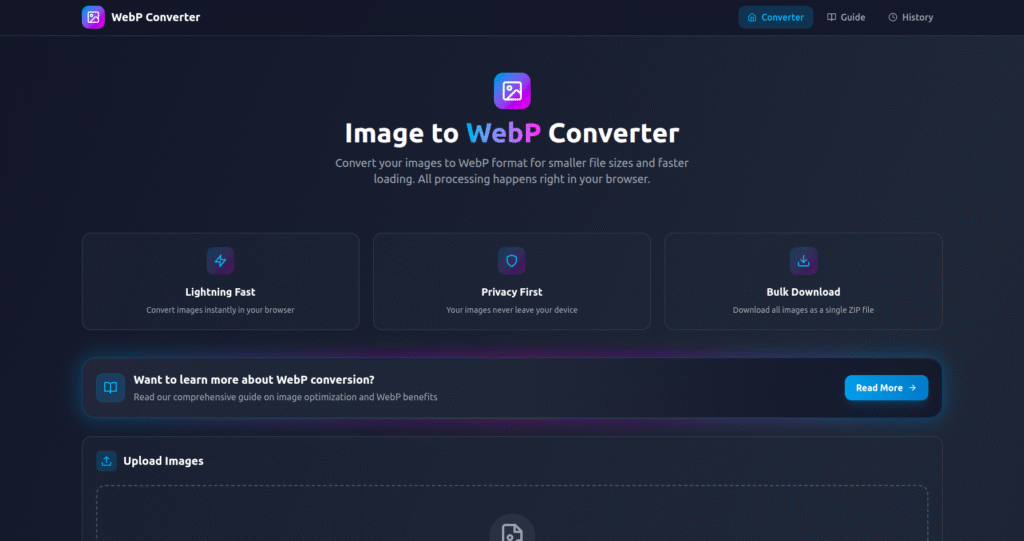
An Free Image to WebP Converter is a tool that converts common image formats like JPG and PNG into WebP format.
WebP is a modern image format developed to:
- Reduce file size
- Maintain high image quality
- Improve website performance
As a result, websites load faster while images stay sharp.
How an Image to WebP Converter Works
Although the tool looks simple, it follows a smart process internally.
Step 1: Upload the Image
First, the user uploads an image file. Formats such as JPG, PNG, and JPEG are supported.
Step 2: Image Analysis
Next, the system analyzes the image to understand:
- Resolution
- Color depth
- Compression potential
This helps choose the best conversion settings.
Step 3: Convert Image to WebP
Then, the tool converts the image into WebP format. During this step, it:
- Optimizes image data
- Reduces unnecessary information
- Preserves visual clarity
Because of this, the output image becomes much smaller in size.
Step 4: Download the WebP Image
Finally, the user downloads the converted WebP image, ready for use on websites or apps.
The entire process takes only a few seconds.
How to Use the Image to WebP Converter
Using the Image to WebP Converter is very easy:
- Upload your image
- Click the “Convert” button
- Wait briefly
- Download the WebP file
No software installation or sign-up is required. Therefore, anyone can use it instantly.
Who Can Use an Image to WebP Converter?
This tool is helpful for many users, including:
- 🌐 Website owners improving page speed
- 💻 Frontend developers optimizing assets
- 🎨 Designers exporting web-ready images
- 🛍️ E-commerce stores reducing load time
- 👤 Bloggers and content creators
Because it works online, it fits many real-world use cases.
Why We Built This Image to WebP Converter Using PromptXL
We built this Image to WebP Converter using PromptXL.
PromptXL allowed us to:
- Build the app with real project files
- Control image conversion logic
- Optimize performance for large images
- Keep full ownership of the code
Instead of relying on a closed no-code tool, PromptXL gave us flexibility and control.
How PromptXL Helps Build Better Image Tools
With PromptXL, we were able to:
- Write clean backend logic
- Handle multiple image uploads safely
- Fine-tune conversion quality
- Add new formats without limits
Because PromptXL supports flexible deployment, this tool can grow easily over time.
Image to WebP Converter vs Typical Online Tools
| Feature | Typical Converters | Built with PromptXL |
|---|---|---|
| File size reduction | Medium | High |
| Image quality | Average | Sharp |
| Custom control | Limited | Flexible |
| Code ownership | None | Full |
| Scalability | Low | Strong |
This shows why PromptXL-built tools are more reliable long term.
Can This Image to WebP Converter Grow Further?
Yes. Since it’s built using PromptXL, we can:
- Add bulk image conversion
- Support AVIF and other formats
- Offer API access
- Introduce premium plans later
This makes it suitable as both a free tool and a future SaaS product.
Final Thoughts
An Image to WebP Converter helps reduce image size, improve performance, and create faster web experiences. Instead of heavy image files, users get optimized assets ready for modern websites.
By building this tool with PromptXL, we ensured:
- High-quality conversion
- Clean and scalable architecture
- Full control over the code
- No platform lock-in
If you want to build practical image tools like this, PromptXL gives you the right foundation.
🚀 Build Your Own AI PDF Summarizer
Create your project: https://app.promptxl.com
Learn more: https://promptxl.com
Build real AI tools with full control, real files, and multi-LLM intelligence.
If you want to explore more free AI tools, check out the PromptXL Marketplace:
https://app-market.promptxl.com/
Build real AI tools with full control, real files, and multi-LLM intelligence.