

Introduction
A Free Color Palette Generator plays a powerful role in how we perceive brands, websites, apps, and digital products. A well‑chosen color palette can instantly communicate trust, creativity, professionalism, or excitement. On the other hand, poor color choices can confuse users, reduce readability, and damage credibility. This is where becomes an essential tool.
A Color Palette Generator Tool helps designers, developers, marketers, and even beginners create visually balanced and harmonious color combinations without deep knowledge of color theory. In this blog, we’ll explore what a color palette generator is, how it works, why it matters, and how you can use a color palette generator to design perfect color combinations for any project.
1.1 What Is a Free Color Palette Generator Tool?
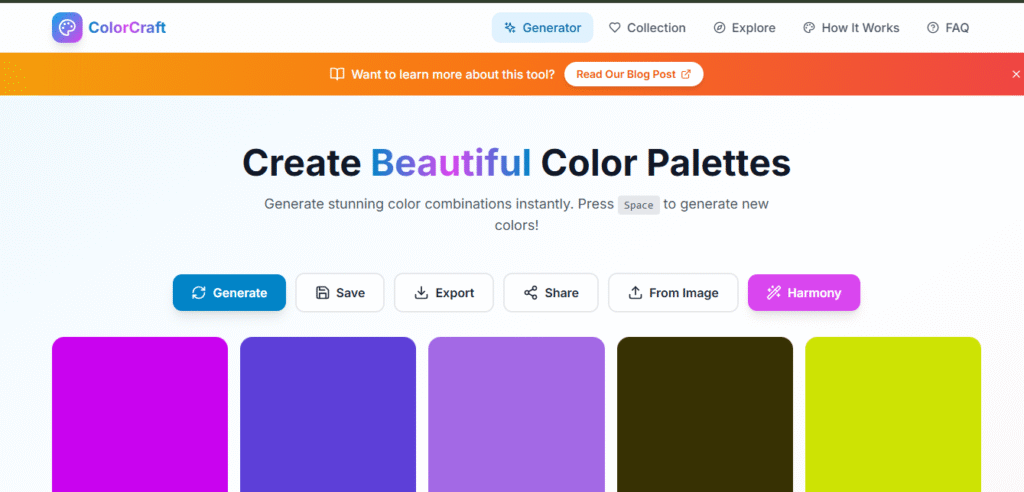
A Color Palette Generator Tool is an online utility that automatically creates a set of colors that work well together. These tools use color theory principles and mathematical color models (such as RGB, HEX, HSL, or HSV) to generate harmonious palettes.
A Color Palette Generator allows users to:
- Generate matching colors instantly
- Explore creative color combinations
- Export colors in different formats
- Save time compared to manual color selection
Whether you are designing a website, mobile app, logo, presentation, or social media graphic, a color palette generator simplifies the entire process.
1.2 Why Free Color Palette Generator Matter in Design
1. Visual Consistency
Consistent color usage creates a unified look across your product or brand. A color palette generator ensures your colors align naturally with one another.
2. Brand Identity
Colors influence emotions and brand perception. Blue often conveys trust, red signals urgency or passion, and green represents growth or calm. Choosing the right palette strengthens brand recognition.
3. User Experience (UX)
Poor color contrast can make text unreadable and interfaces difficult to use. A well‑balanced palette improves accessibility and usability.
4. Faster Design Decisions
Instead of guessing or endlessly tweaking colors, a color palette generator gives you ready‑to‑use combinations in seconds.
1.3 How a Free Color Palette Generator Works
A Color Palette Generator works by applying color theory rules and algorithms to produce visually appealing combinations.
Step 1: Base Color Selection
You can start with:
- A random color
- A manually chosen base color
- A color picked from an image
Step 2: Color Harmony Rules
The tool applies harmony rules such as:
- Monochromatic – Variations of one color
- Analogous – Colors next to each other on the color wheel
- Complementary – Opposite colors
- Triadic – Three evenly spaced colors
- Tetradic – Four balanced colors
Step 3: Color Model Calculations
The generator adjusts hue, saturation, and brightness using color models like HSL or HSV.
Step 4: Palette Output
The final palette is displayed instantly, often with options to copy HEX, RGB, or HSL values.
1.4 Key Features of a Free Color Palette Generator
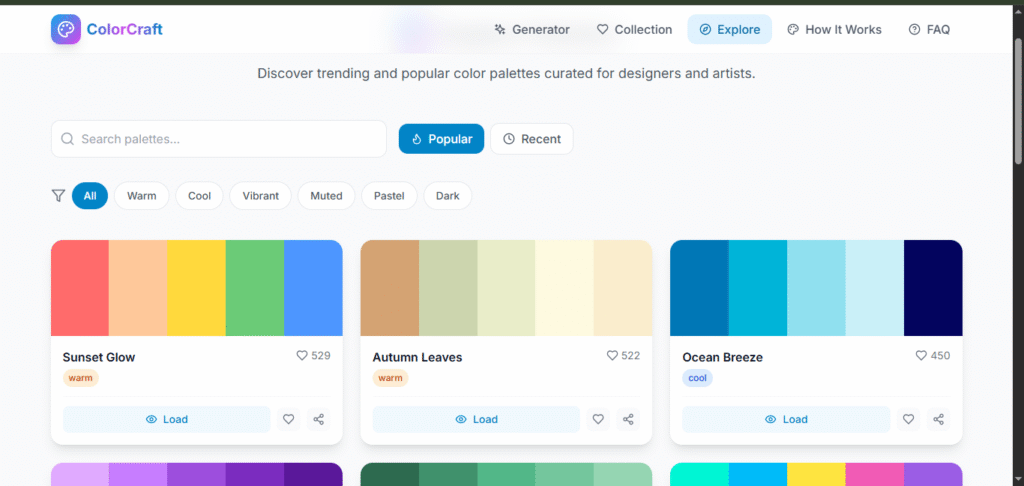
1. One‑Click Palette Generation
Generate beautiful color combinations instantly without any setup.
2. Multiple Color Formats
Export colors in:
- HEX (for web design)
- RGB (for digital screens)
- HSL (for fine‑tuned styling)
3. Customizable Palettes
Adjust brightness, saturation, and contrast to suit your needs.
4. Accessibility & Contrast Checks
Many tools help ensure color contrast meets accessibility standards.
5. Completely Free & No Signup
A color palette generator removes barriers and lets anyone start designing immediately.
1.5 Benefits of Using a Free Color Palette Generator
Saves Time
No need to manually experiment with color codes.
Beginner‑Friendly
You don’t need to be a professional designer to create great palettes.
Improves Design Quality
The generated palettes follow proven color harmony principles.
Boosts Creativity
Random palette generation can inspire new design ideas.
1.6 Use Cases of a Free Color Palette Generator Tool
1. Website & App Design
Design consistent UI components like buttons, backgrounds, and typography.
2. Branding & Logos
Choose colors that reflect brand personality.
3. UI/UX Design
Maintain visual hierarchy and readability.
4. Marketing & Social Media
Create eye‑catching visuals for ads and posts.
5. Presentations & Reports
Make slides visually appealing and professional.
1.7 Theory Basics Explained : Free Color Palette Generator
Understanding basic color theory helps you get more value from a color palette generator.
Hue
The actual color (red, blue, green).
Saturation
Intensity of the color.
Brightness / Lightness
How light or dark the color is.
Contrast
Difference between foreground and background colors.
A good palette balances all these elements.
1.8 Free Color Palette Generator vs Manual Selection
| Feature | Color Palette Generator | Manual Selection |
|---|---|---|
| Speed | Instant | Time‑consuming |
| Accuracy | High | Depends on skill |
| Accessibility | Often included | Often ignored |
| Beginner‑friendly | Yes | No |
1.9 Tips for Choosing Perfect Free Color Palette Generator
- Start with one main brand color
- Limit your palette to 3–5 colors
- Use contrast for text readability
- Test colors on different screens
- Use a color palette generator for consistency
1.10 Common Mistakes to Avoid
- Using too many colors
- Low contrast between text and background
- Ignoring accessibility
- Copying palettes without context
1.11 Who Should Use a Free Color Palette Generator?
- Designers
- Developers
- Marketers
- Students
- Content creators
- Startup founders
Anyone who works with visuals can benefit.
1.12 SEO Benefits of Using Free Color Palette Generator
If you’re building a design website or SaaS tool, offering a Color Palette Generator can:
- Increase organic traffic
- Improve user engagement
- Reduce bounce rate
- Attract designers and developers
1.13 Future of Free Color Palette Generator
Modern tools are evolving with:
- AI‑based palette suggestions
- Image‑based palette extraction
- Brand‑aware color generation
- Accessibility‑first design
The future of color selection is intelligent, fast, and user‑centric.
1.14 Final Thoughts : Free Color Palette Generator
This App was created using PromptXL, an AI-assisted content creation system designed to produce clear, structured, SEO-friendly, and user-focused information. PromptXL helps organize ideas, improve readability, and ensure content remains practical and valuable for real users.
A Color Palette Generator Tool – Perfect Color Combinations is more than just a convenience; it’s a productivity booster for modern design workflows. By using a Color Palette Generator, you can save time, improve visual quality, and create professional‑looking designs without deep design expertise.
Whether you’re building a website in promptxl, launching a brand, or creating content, the right colors matter. With a color palette generator, perfect color combinations are just one click away.
Create your project: https://app.promptxl.com
Learn more: https://promptxl.com