

Introduction:
A Free Audio Format Converter Audio files come in many formats—MP3, WAV, AAC, FLAC, OGG, and more. While this variety is great for quality and compatibility, it also creates a common problem: not every device, app, or platform supports every audio format.
That’s where a audio format converter becomes essential.
Whether you’re a content creator, podcaster, student, musician, or everyday user, converting audio files quickly and correctly can save you time, storage space, and frustration.
In this detailed guide, you’ll learn:
- What a audio format converter is
- Why audio conversion is important
- Supported audio formats
- How audio converters work
- Benefits and limitations
- Best use cases
- SEO and quality considerations
- How to choose the right audio format
What Is a Free Audio Format Converter?
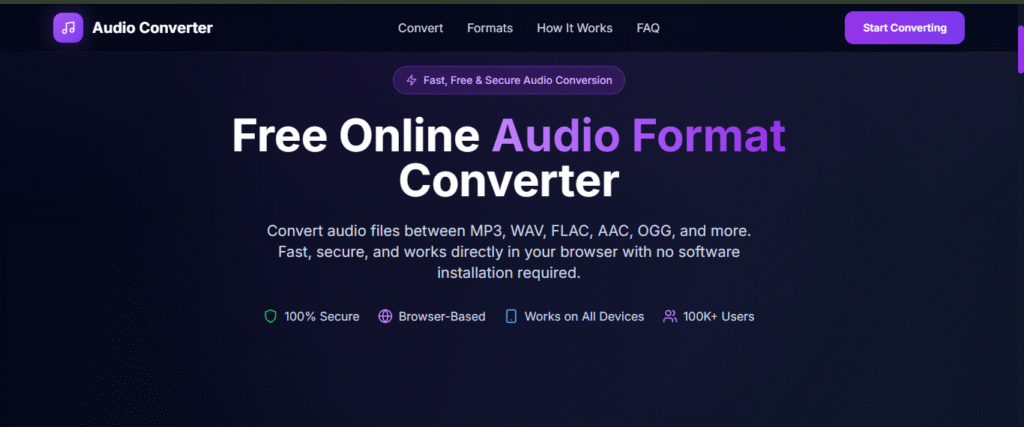
A audio format converter is an online or software-based tool that allows you to change an audio file from one format to another without paying any cost.
For example, you can:
- Convert WAV to MP3
- Convert FLAC to AAC
- Convert M4A to MP3
- Convert OGG to WAV
The goal is to make audio files:
- Compatible with more devices
- Smaller in size
- Easier to share
- Optimized for quality or storage
Most modern converters are browser-based, meaning no downloads or installations are required.
Why Audio Free Audio Format Converter Is Important
Not all audio formats are created equal.
Some formats prioritize:
- High quality
- Smaller file size
- Streaming efficiency
- Editing flexibility
A audio format converter helps you choose the right format for the right purpose.
Common Problems Audio Conversion Solves
- Audio won’t play on your device
- File size is too large
- Platform doesn’t accept the format
- Editing software requires a specific format
Instead of re-recording audio, you simply convert it.
Popular Free Audio Format Converter Explained
Understanding formats helps you convert smarter.
MP3
- Most widely supported format
- Compressed with good quality
- Ideal for music, podcasts, and sharing
WAV
- Uncompressed, high-quality audio
- Large file size
- Best for editing and studio work
AAC
- Better quality than MP3 at smaller sizes
- Used by Apple and streaming platforms
FLAC
- Lossless compression
- High quality with reduced size
- Popular among audiophiles
OGG
- Open-source format
- Used in gaming and streaming
A audio format converter lets you move between these formats effortlessly.
How a Free Audio Format Converter Works
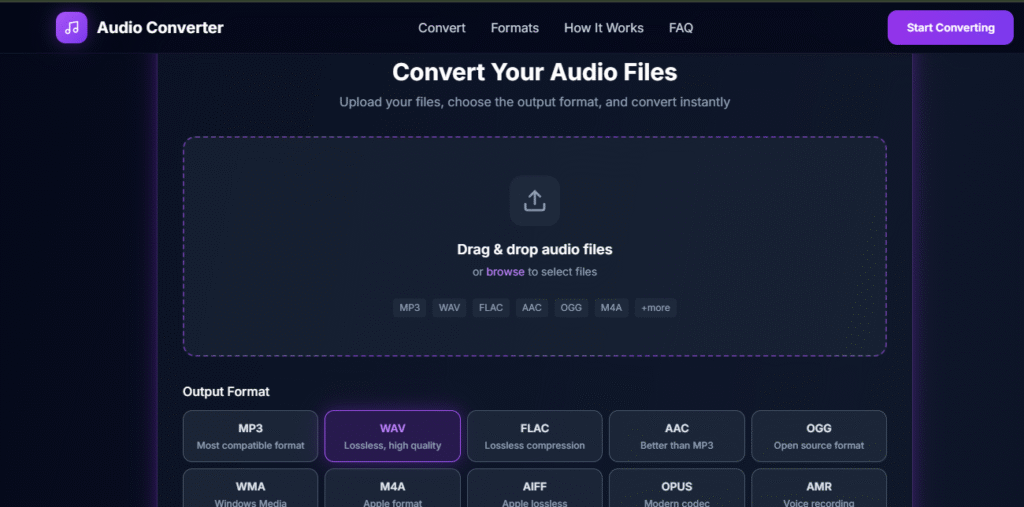
Audio conversion may sound technical, but for users, it’s simple.
Behind the Scenes
- You upload an audio file
- The tool decodes the original format
- Audio data is re-encoded into the new format
- You download the converted file
Advanced converters maintain:
- Bitrate control
- Sample rate accuracy
- Channel consistency (mono/stereo)
All this happens in seconds.
Who Should Use a Free Audio Format Converter?
1. Content Creators
YouTubers, podcasters, and streamers often need to convert audio for:
- Video editing software
- Platform compatibility
- File size optimization
2. Musicians & Producers
Musicians convert audio to:
- Share demos
- Upload to streaming platforms
- Maintain lossless archives
3. Students & Educators
Used for:
- Online assignments
- Lectures
- Presentations
4. App & Game Developers
Convert audio assets into formats optimized for:
- Performance
- Cross-platform support
5. Everyday Users
From ringtones to voice notes, everyone benefits from fast audio conversion.
Key Benefits of Using a Free Audio Format Converter
1. Completely Free
No subscriptions, no hidden charges.
2. Fast Conversion
Most files convert in seconds.
3. No Technical Skills Required
Upload → convert → download.
4. Device Compatibility
Play audio on any device or platform.
5. Storage Optimization
Compress large audio files without noticeable quality loss.
Free Audio Format Converter vs Paid Tools
| Feature | Free Converter | Paid Converter |
|---|---|---|
| Cost | Free | Paid |
| Basic Formats | Yes | Yes |
| Speed | Fast | Very fast |
| Advanced Controls | Limited | Extensive |
| Casual Use | Ideal | Overkill |
For most users, free tools are more than enough.
Common Use Cases for Free Audio Format Converter
Podcast Editing
Convert WAV recordings into MP3 for publishing.
Music Sharing
Change FLAC files to MP3 for easy sharing.
Video Production
Convert audio tracks to formats compatible with editing software.
Mobile Compatibility
Convert unsupported formats to mobile-friendly ones.
Online Uploads
Platforms often restrict file formats—conversion solves this instantly.
Does Free Audio Format Converter Reduce Quality?
It depends.
Lossy to Lossy (MP3 → AAC)
- Small quality loss possible
Lossless to Lossy (WAV → MP3)
- Quality reduced but file size smaller
Lossless to Lossless (WAV → FLAC)
- No quality loss
A good audio format converter balances size and quality effectively.
Best Settings for Free Audio Format Converter
Bitrate
- 128 kbps → basic quality
- 192 kbps → good quality
- 320 kbps → high quality
Sample Rate
- 44.1 kHz → standard
- 48 kHz → professional use
Choose settings based on your needs, not maximum values.
Is It Safe to Use Free Audio Format Converters Online?
Yes—if you choose reputable tools.
Safety Tips
- Avoid tools that require unnecessary permissions
- Use HTTPS websites
- Delete files after conversion if possible
Most online converters automatically remove files after processing.
Free Audio Format Converter for Mobile Users
Modern converters are mobile-friendly.
You can:
- Upload audio from your phone
- Convert formats instantly
- Download files without apps
Perfect for:
- Voice notes
- WhatsApp audio
- Ringtones
Free Audio Format Converter for Professionals
Professionals use free tools to:
- Quickly preview formats
- Prepare drafts
- Convert bulk files before final processing
Even advanced users rely on free tools for speed.
SEO Benefits of Optimized Audio Formats
For websites hosting audio:
- Smaller files load faster
- Better page speed scores
- Improved user experience
Audio conversion indirectly supports SEO and performance optimization.
Limitations of Free Audio Format Converters
While powerful, free tools have limits.
Common Limitations
- File size caps
- Limited batch processing
- Fewer advanced controls
For 90% of users, these limitations aren’t an issue.
How to Choose the Right Audio Format
Ask yourself:
- Where will the audio be used?
- Is quality or size more important?
- What devices need compatibility?
Quick Guide
- Streaming & sharing → MP3 / AAC
- Editing → WAV
- Archiving → FLAC
A audio format converter lets you experiment freely.
Future of Audio Conversion Tools
Audio tools are evolving rapidly.
Future improvements include:
- AI-powered noise handling
- Smart bitrate optimization
- Faster cloud processing
- Better mobile performance
Audio conversion will only get faster and smarter.
Why You Should Use a Free Audio Format Converter Today
If you deal with audio even occasionally, this tool is a must-have.
✔ Save time
✔ Improve compatibility
✔ Reduce file size
✔ Maintain quality
✔ Zero cost
A free audio format converter removes technical barriers and puts control back in your hands.
Final Thoughts : Free Audio Format Converter
Audio formats shouldn’t slow you down.
With a audio format converter, you can convert, optimize, and share audio files quickly—without software, subscriptions, or stress.
Whether you’re editing podcasts, sharing music, or uploading audio online, this simple tool makes audio conversion fast, easy, and accessible for everyone.
🚀 Build Without Platform Limits
Create your project: https://app.promptxl.com
Learn more: https://promptxl.com