

Introduction
A Free PDF to Word Generator files are widely used because they preserve layout and look the same on every device. However, when it comes to editing content, PDFs can be restrictive. This is where a PDF to Word Generator becomes extremely useful. It allows users to convert static PDF documents into fully editable Word files without retyping content.
Whether you are a student editing assignments, an office professional updating reports, or a business handling contracts, a PDF to Word tool saves time and effort. In this blog, we’ll explore how a PDF to Word generator works, why it’s essential, and how it helps you edit PDF files easily.
What Is a Free PDF to Word Generator?
A PDF to Word Generator is a tool that converts PDF documents into editable Microsoft Word formats such as DOC or DOCX. A PDF to Word Generator performs this task online without requiring paid software or advanced technical skills.
The goal of this tool is simple:
- Extract text, images, and layout from a PDF
- Rebuild the content in an editable Word document
- Preserve formatting as much as possible
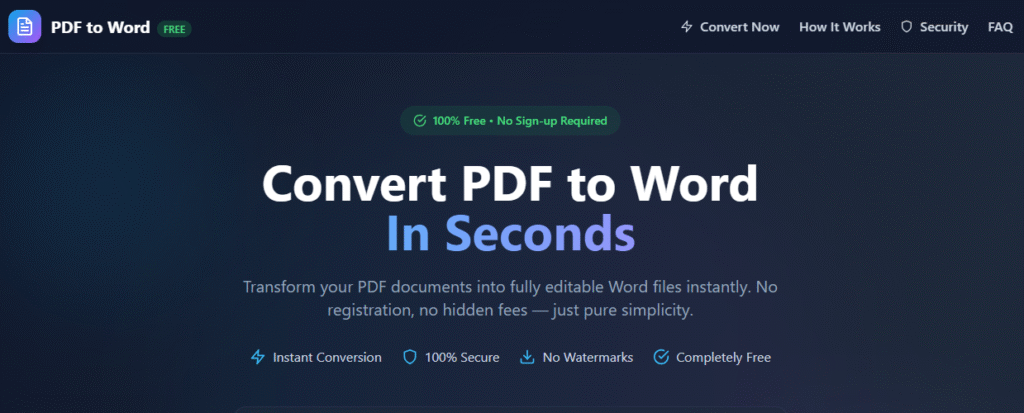
Why Convert PDF to Word?
1. Easy Editing
PDFs are difficult to edit directly. Converting them to Word allows quick text edits, formatting changes, and content updates.
2. Saves Time
Manual copying and pasting can take hours. A PDF to Word generator completes the task in seconds.
3. Reuse Content
Reports, contracts, and study materials can be reused and updated easily.
4. Collaboration
Word files are easier to share, comment on, and collaborate with teams.
How a Free PDF to Word Generator Works
A PDF to Word generator follows a structured process to ensure accurate conversion.
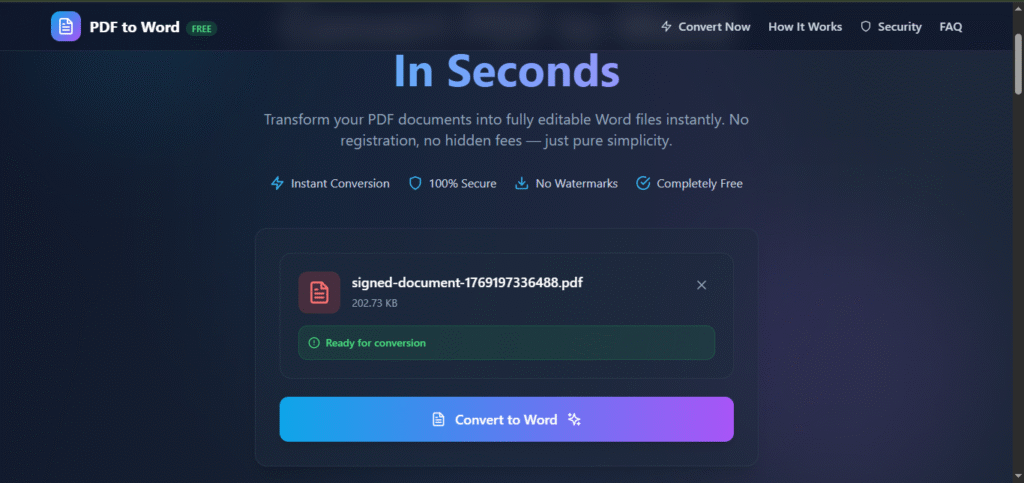
Step 1: Upload the PDF File
Users upload a PDF file using drag-and-drop or file selection.
Step 2: Analyze PDF Structure
The tool reads the internal structure of the PDF, identifying:
- Text blocks
- Fonts and styles
- Images and tables
- Page layout
Step 3: Extract Content
Text and visual elements are extracted using document parsing techniques.
Step 4: Rebuild in Word Format
The extracted content is reconstructed into a Word document while preserving:
- Paragraph structure
- Headings
- Tables
- Images
Step 5: Download Editable Word File
The converted DOCX file is ready for download and editing.
Key Features of a Free PDF to Word Generator
1. Editable Output
Converted Word files allow full editing of text, tables, and images.
2. Format Preservation
Maintains fonts, spacing, and layout as closely as possible.
3. Fast Conversion
Converts documents within seconds.
4. Secure Processing
Files are processed securely and deleted after conversion.
5. No Software Installation
Runs directly in your browser.
Common Use Cases in Free PDF to Word Generator
Students
- Edit assignments
- Update project reports
- Reuse study materials
Office Professionals
- Modify contracts
- Edit business proposals
- Update reports
Businesses
- Process invoices
- Revise agreements
- Maintain documentation
Freelancers
- Edit client documents
- Customize proposals
Free PDF to Word Generator vs Manual Editing
| Feature | PDF to Word Generator | Manual Editing |
|---|---|---|
| Speed | Very fast | Time-consuming |
| Accuracy | High | Error-prone |
| Formatting | Preserved | Often lost |
| Effort | Minimal | High |
Security & Privacy Considerations in Free PDF to Word Generator
A reliable PDF to Word generator ensures:
- Secure file uploads
- No unauthorized access
- Automatic file deletion
- Privacy-friendly processing
This makes it safe for personal and business documents.
Limitations of Free PDF to Word Generators
While powerful, free tools may have limitations:
- Complex layouts may need minor adjustments
- Scanned PDFs may require OCR
- File size limits
Despite this, they are ideal for most everyday needs.
Free PDF to Word Generator Conversion for Scanned PDFs
Scanned PDFs are image-based. Advanced PDF to Word generators use OCR (Optical Character Recognition) to detect text within images and convert it into editable Word content.
Best Practices for Better Conversion Results
- Use high-quality PDFs
- Avoid heavily stylized layouts
- Review formatting after conversion
- Save a backup of the original file
SEO Benefits of Offering a Free PDF to Word Generator Tool
If you run a tools website, a PDF to Word Generator can:
- Attract high search traffic
- Improve user engagement
- Increase return visitors
- Boost tool-page conversions
Free PDF to Word Generator vs Paid PDF to Word Tools
| Feature | Free Tool | Paid Tool |
| Cost | Free | Subscription |
| Basic conversion | Yes | Yes |
| Advanced OCR | Limited | Yes |
| Daily usage | Limited | Unlimited |
Free tools are perfect for most users.
Future of Free PDF to Word Generator Conversion
Future improvements include:
- AI-powered layout recognition
- Better table accuracy
- Faster processing
- Multi-language OCR
Final Thoughts
This App was created using PromptXL, an AI-assisted content creation system designed to produce clear, structured, SEO-friendly, and user-focused information. PromptXL helps organize ideas, improve readability, and ensure content remains practical and valuable for real users.
A PDF to Word Generator – Tool – Edit Files Easily is an essential solution for anyone working with documents. It simplifies editing, saves time, and removes the frustration of dealing with static PDFs.
using Promptxl With just a few clicks, you can convert PDF files into editable Word documents and continue your work efficiently.
🚀 Build Without Platform Limits
Create your project: https://app.promptxl.com
Learn more: https://promptxl.com