

PDF files work well for documents. However, they are not always easy to share or reuse. In many cases, users need images instead of full documents. Because of this, people often convert PDFs into JPG images for faster access and sharing.
This guide explains how the PDF to JPG tool works, how to use it, and why we built it using PromptXL.
What Does a PDF to JPG Tool Do?
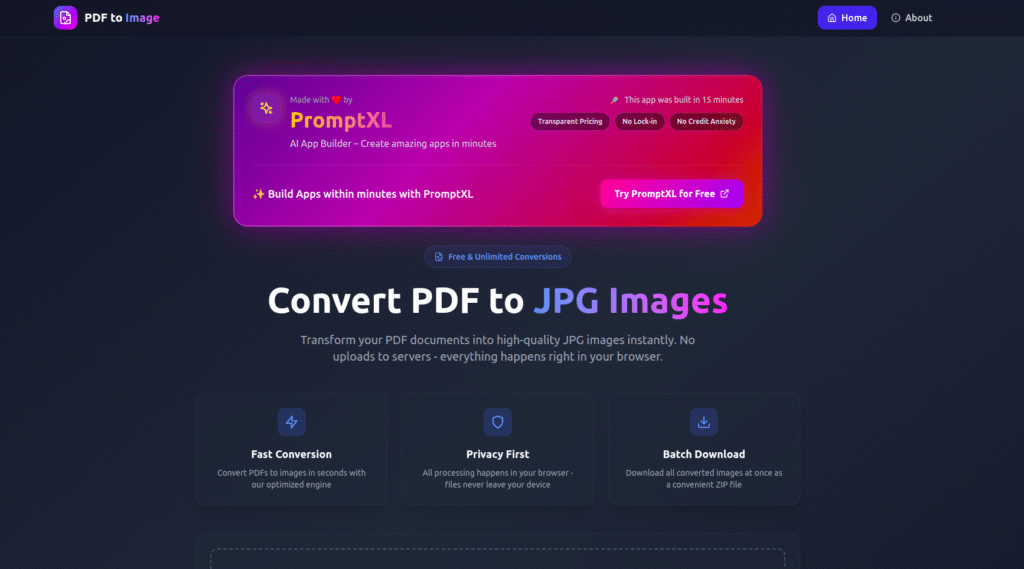
A PDF to JPG tool converts each page of a document into an image file. Instead of opening a PDF reader, users can view each page as a normal image.
For example, this helps when:
- Uploading pages to websites
- Sharing a single page
- Using document visuals in designs
- Previewing content on mobile devices
As a result, documents become easier to use across platforms.
How PDF to JPG Conversion Works
Although the tool feels simple, the process follows a clear flow.
Step 1: Upload the File
First, the user uploads a PDF document. The tool supports both single-page and multi-page files.
Step 2: Read the Pages
Next, the system reads each page separately. This step prepares the content for image rendering.
Step 3: Convert Pages into Images
Then, the tool converts every page into a JPG image. It keeps the layout clean and the text sharp.
Step 4: Download the Output
Finally, users download the images. For multi-page files, the system bundles them into a ZIP file.
Because the process is fast, users get results in seconds.
How to Use the Tool
Using the converter takes only a few steps:
- Upload your PDF file
- Click the convert button
- Wait briefly
- Download the JPG images
No registration or installation is required. Therefore, anyone can use it easily.
Who Benefits from PDF to JPG Conversion?
This tool helps many users, including:
- Students sharing notes
- Designers extracting visuals
- Professionals sending report pages
- Mobile users who prefer images
Because it works online, it fits many everyday tasks.
Why We Built This Tool Using PromptXL
We created this tool using PromptXL, a developer-first platform for building real applications.
PromptXL helped us:
- Build with real project files
- Control file processing logic
- Improve performance for large documents
- Keep the system scalable
Instead of relying on a closed builder, we kept full control over the code.
How PromptXL Improves File-Based Tools
With PromptXL, we could:
- Write clean backend logic
- Handle large files safely
- Adjust image quality settings
- Add future features without limits
As a result, the tool stays fast and reliable.
Comparison: Typical Converters vs Our Tool
| Feature | Typical Online Tools | Built with PromptXL |
|---|---|---|
| File limits | Very low | Flexible |
| Image clarity | Average | High |
| Speed | Inconsistent | Fast |
| Code control | None | Full |
| Scalability | Limited | Strong |
Therefore, building with PromptXL gives long-term advantages.
Can This Tool Grow Further?
Yes. Since the app is built with PromptXL, we can:
- Add user accounts
- Support batch uploads
- Offer paid plans later
- Deploy anywhere
This makes it suitable for both free users and future expansion.
Final Thoughts
Converting documents into images saves time and improves usability. Instead of struggling with PDFs, users can work with simple images.
By building this tool with PromptXL, we ensured:
- Faster performance
- Clean architecture
- Full ownership
- No platform lock-in
If you want to build practical tools like this, PromptXL gives you the flexibility to do it right.
🚀 Build Your Own AI PDF Summarizer
Create your project: https://app.promptxl.com
Learn more: https://promptxl.com
Build real AI tools with full control, real files, and multi-LLM intelligence.
If you want to explore more free AI tools, check out the PromptXL Marketplace:
https://app-market.promptxl.com/
Build real AI tools with full control, real files, and multi-LLM intelligence.