


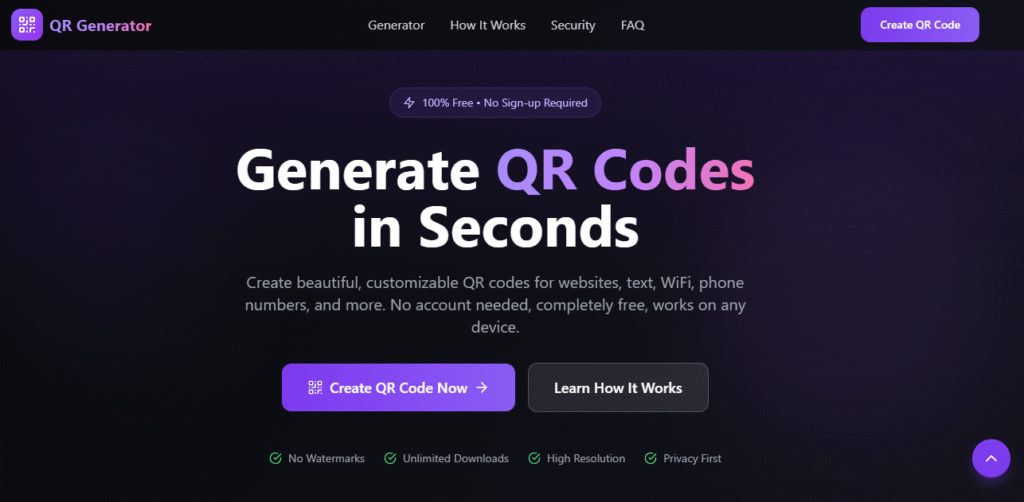
QR codes are widely used to connect offline and online experiences. This guide explains what QR codes are, how they work, how to generate them for free, and how to use a free QR Code generator effectively for personal, business, and marketing purposes.
This guide is SEO-friendly, beginner-friendly, and practical, making it ideal for bloggers, students, startups, and business owners.
Free QR Code Generator – What It Is and How It Works
A QR Code (Quick Response Code) is a two-dimensional barcode capable of storing information such as URLs, text, phone numbers, email addresses, Wi-Fi credentials, payment links, and contact details.
Unlike traditional barcodes, QR codes can store more data and can be scanned easily using smartphone cameras without additional apps.
Originally developed for the automotive industry, QR codes are now widely used across businesses, education, marketing, and digital payments because of their speed, convenience, and versatility.
Why Use a QR Code Generator Online
A QR Code generator online allows anyone to create QR codes without technical skills or paid software. Whether you are a student, small business owner, or digital marketer, free QR code tools provide an easy and cost-effective solution.
Key Benefits of a Free QR Code Generator
- No cost involved
- Easy to use (no coding required)
- Instant QR code creation
- Supports multiple data types
- Works on mobile and desktop devices
How a QR Code Generator Works
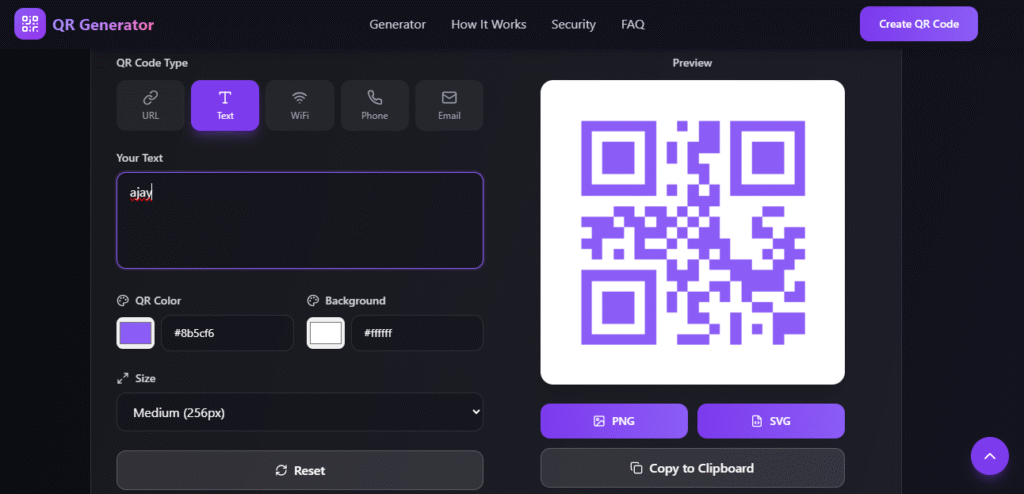
A QR Code generator tool converts your input data into a black-and-white square pattern that stores encoded information.
Simple QR Code Generation Process
- Enter data such as a URL, text, phone number, or Wi-Fi details
- The QR Code generator encodes the data
- A QR code image is created instantly
- Users scan the QR code using a smartphone camera
- The encoded information is displayed immediately
Best Features of a Free QR Code Generator Tool
A reliable QR Code generator supports multiple QR code formats to meet different needs.
Common QR Code Types You Can Create
- URL QR Code – Redirects users to websites or landing pages
- Text QR Code – Displays text messages or instructions
- Phone Number QR Code – Enables one-tap calling
- Email QR Code – Opens an email app with pre-filled details
- Wi-Fi QR Code – Allows instant Wi-Fi connection
- Payment QR Code – Used for UPI and digital payments
- vCard QR Code – Shares contact information instantly
Step-by-Step Guide to Create QR Codes Using a Free QR Code Generator
Creating QR codes using a QR Code generator online is simple and quick.
Steps to Create a Free QR Code
- Choose a trusted free QR Code generator
- Select the QR code type
- Enter the required data
- Customize the QR code (optional)
- Generate the QR code
- Download and share the QR code
Free QR Code Generator: Static vs Dynamic
Understanding the difference helps you choose the right QR code.
| Feature | Static QR Code | Dynamic QR Code |
|---|---|---|
| Editable after creation | No | Yes |
| Scan tracking | No | Yes |
| Free availability | Yes | Mostly paid |
| Best for | Personal use | Marketing campaigns |
Most free QR Code generators offer static QR codes, which are perfect for everyday use.
Uses of a QR Code Generator in Real Life
Business & Marketing
- Product packaging
- Flyers and posters
- Business cards
- Discount campaigns
Education
- Assignment links
- Online study material
- Attendance tracking
Restaurants & Cafes
- Digital menus
- Online ordering
- Customer feedback
Payments
- UPI payments
- Wallet transactions
- Contactless checkout
Events
- Event tickets
- Registration forms
- Location sharing
Advantages of Using a QR Code Generator
- Cost-effective – No subscription required
- Time-saving – Generate QR codes instantly
- User-friendly – No technical knowledge needed
- Wide compatibility – Works on all devices
- Eco-friendly – Reduces paper usage
Is a Free QR Code Generator Safe to Use?
Most reputable free QR Code generators are safe when used correctly.
Safety Tips
- Avoid sharing sensitive information
- Use HTTPS-secured websites
- Test QR codes before sharing
- Check the privacy policy
Best Practices for Using
- Use high-contrast colors
- Maintain proper QR code size
- Always test before publishing
- Add a clear call-to-action
- Place QR codes strategically
Free QR Code Generator for SEO & Digital Marketing
Using a free QR Code generator for marketing helps:
- Drive website traffic
- Increase engagement
- Connect offline and online users
- Improve user experience
Free QR Code Generator for Students and Projects
Students can use QR codes for:
- Project presentations
- Online portfolios
- Resume links
- GitHub profiles
QR codes make academic work look modern and professional.
Future of Free QR Code Generators
With growth in mobile payments, smart packaging, digital identity, and IoT, QR codes will continue to play a major role in digital interaction.
Common QR Code Mistakes to Avoid
- Low-resolution QR codes
- Poor color contrast
- Not testing before printing
- Very small QR codes
- Broken links
Frequently Asked Questions About
Is a free QR Code generator really free?
Yes, static QR codes are usually free with no expiry.
Do QR codes expire?
Static QR codes do not expire.
Can I use QR codes commercially?
Yes, free QR codes can be used for business.
Do users need an app to scan QR codes?
No, smartphones have built-in QR scanners.
Conclusion
This App was created using PromptXL, an AI-assisted content creation system designed to produce clear, structured, SEO-friendly, and user-focused information. PromptXL helps organize ideas, improve readability, and ensure content remains practical and valuable for real users.
A free QR Code generator is a powerful and cost-effective digital tool. Whether you are a student, business owner, or marketer, QR codes help you share information quickly and efficiently.
By using promptxl the right QR code type and following best practices, you can unlock the full potential of QR codes—without spending a single rupee.
🚀 Build Without Platform Limits
Create your project: https://app.promptxl.com
Learn more: https://promptxl.com